
How to set up fixed wireless internet for your business
A practical, vendor-neutral guide to getting a business-grade fixed wireless link installed, configured for voice, and hardened against outages – without the sales spin.
What do you need to set up fixed wireless internet for a business?
You need a clear line of sight to the provider’s tower, an outdoor radio (CPE) mounted high on your building, a PoE injector, and a business-grade router. A provider does a site survey first, then installs and aligns the antenna. Most sites go live in 5 to 15 business days.
What fixed wireless actually is (and what it isn’t)
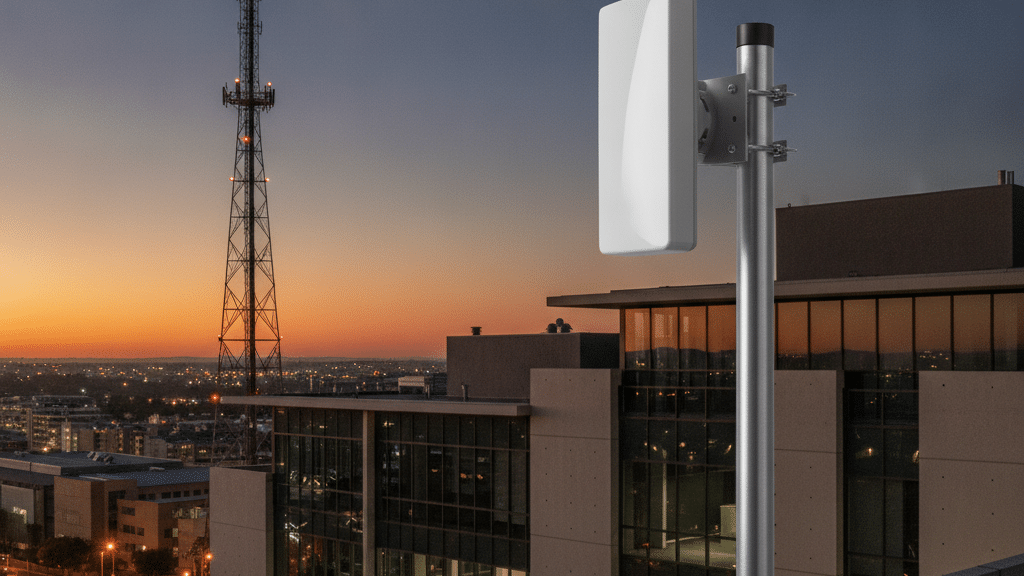
Fixed wireless delivers internet over licensed or unlicensed radio from a base station on a tower to a fixed antenna on your premises. It is not mobile data, and it is not fibre.
Because the receiver is fixed and aimed at a specific tower, fixed wireless can deliver low-latency, business-grade throughput that mobile LTE rarely matches consistently. The trade-off is physical: the radio needs a clear path to the tower. New buildings, growing trees and seasonal foliage can all break a link that worked on install day, so the mounting decision is a long-term one, not a convenience.
The path a fixed wireless connection takes
The equipment you actually need
A business fixed wireless install is four core pieces plus two optional ones. The provider usually supplies and mounts the radio; the rest is worth owning and controlling yourself.
Outdoor radio (CPE)
- JobReceives the tower signal
- MountRoof or high pole
- Owned byUsually the ISP
PoE injector
- JobPowers the radio over the network cable
- WhereIndoors, near the router
- Back upPut it on the UPS
Business router
- JobQoS, VLANs, firewall, failover
- WhyConsumer boxes can’t prioritise voice
- Owned byYou
The two optional pieces earn their place quickly: a UPS to keep the radio, injector and router alive through power interruptions, and a managed switch if you want to run separate VLANs for voice, data and CCTV. Mounting hardware (brackets, poles, weatherproofing) is part of the install, not an afterthought.
The site survey and installation, step by step
The survey is the single most valuable part of the process. It tells you whether the connection will work before anyone drills a hole.
Configuring the network so voice comes first
A fixed wireless link is fast enough for VoIP, cloud apps and video conferencing, but only if you stop those workloads from fighting each other for the same bandwidth.
Voice is unforgiving: it needs low latency and steady packet delivery, not raw speed. Budget roughly 100 kbps up and down per concurrent call using the standard G.711 codec, then configure the network so that voice always wins a contention fight.
| When you’re choosing | Fixed wireless | Fibre |
|---|---|---|
| Areas without fibre | Works where cables don’t reach | Only where the network is built |
| Speed to install | Days once line of sight is confirmed | Weeks if trenching is needed |
| Peak throughput | Strong, tower-dependent | Highest and most consistent |
| As a backup link | Ideal second path to fibre | Works, but same-medium risk |
Fixed wireless doesn’t fail on the spec sheet. It fails on the roof – on the tree that grew, the building that went up, the mount nobody checked.
WhichVoIP editorial view
Building in redundancy and security
A single link, however good, is a single point of failure. Business continuity comes from a second path and a hardened edge.
Pair the fixed wireless link with a genuinely independent second connection, ideally on a different medium such as LTE or fibre, so one outage doesn’t take voice and internet down together. Configure automatic failover on the router so the switch happens without a human noticing. On the security side, a business firewall, a VPN for remote sites and disciplined firmware updates matter far more than any single feature toggle.
Our verdict
Fixed wireless is a genuinely business-grade option where fibre isn’t available, and a smart backup where it is. The technology is proven; the risk is almost entirely in the site survey and the mount. Get the line of sight right, own your router, prioritise voice, and add a UPS plus a second link, and a fixed wireless connection will carry a serious workload.
Comparing business internet options?
Tell us your location and requirements and we’ll help you line up fixed wireless, fibre and LTE quotes side by side.
Frequently asked questions
Does fixed wireless need line of sight?
How long does a fixed wireless installation take?
Is fixed wireless good enough for a VoIP phone system?
What equipment do I need for business fixed wireless?
Can I use fixed wireless as a backup to fibre?
What does fixed wireless cost for a business in South Africa?
Keep reading
Sources: ITU-T G.711 codec bandwidth reference; entry-package prices from providers’ own pages, including Afrihost Wireless, Wirulink and Suretel business connectivity (sampled August–September 2026); standard fixed wireless installation practice (line-of-sight survey, PoE-powered CPE, QoS and VLAN configuration).